

As announced via LITS Alert earlier today, due to today's and yesterday's phishing attack, we have disabled Google chat apps, including the Google Drive app in Google Chat.
If you aren’t familiar with it, the Google Drive app in Google chat looks like this:
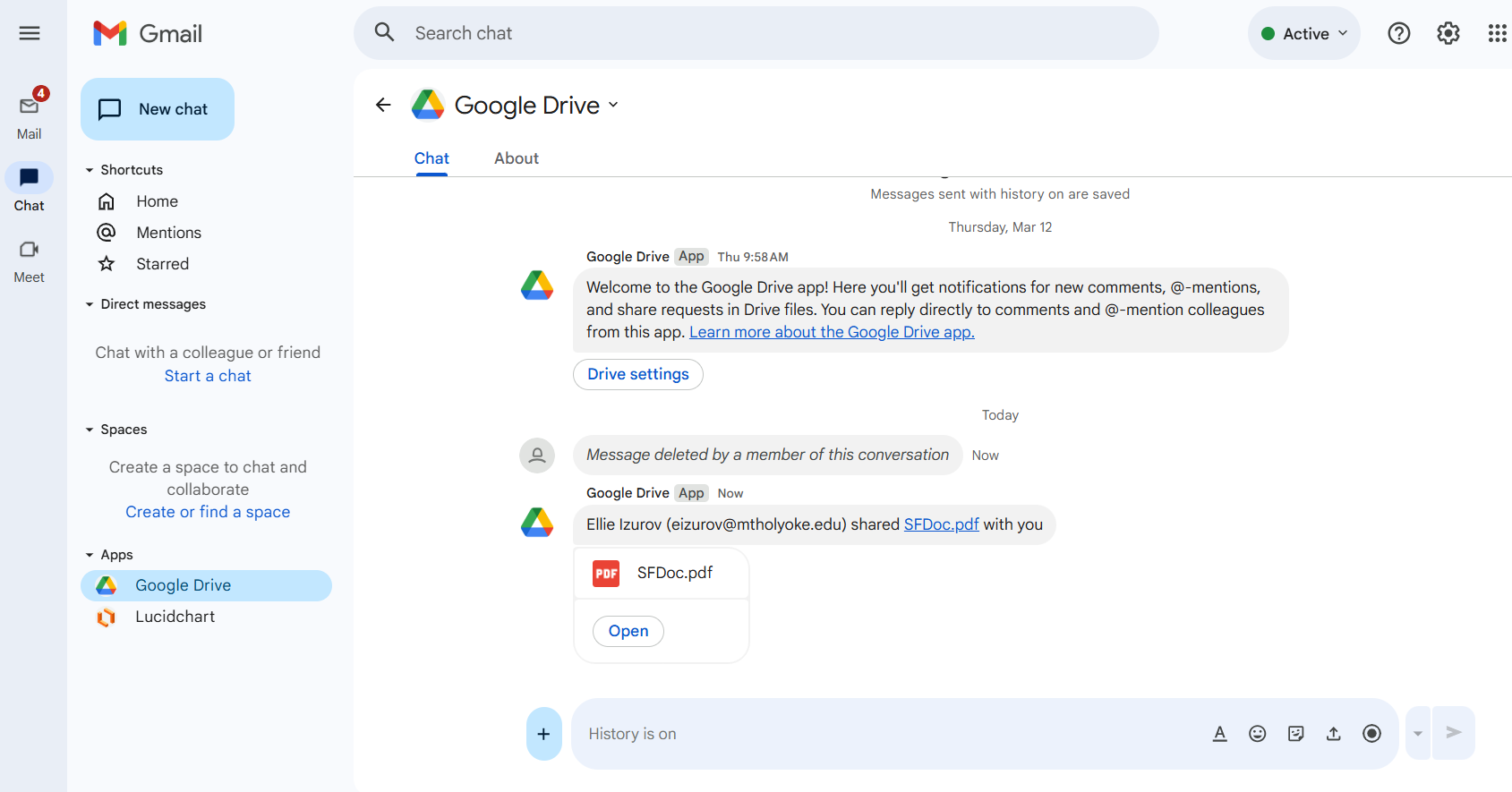
Why is this change happening?
Unfortunately, malicious links and documents sent via the Google Drive app in Google Chat bypass our anti-phishing security software. Additionally, LITS is unable to use our regular phishing investigation response methods to manage messages sent via the Google Drive app in Google Chat.
After investigating ways to mitigate the risks posed by this attack method, LITS has determined that disabling Google Chat apps is our best option at this moment to keep your accounts and College data secure.
What can I expect with regards to Google Drive notifications going forward?
You’ll continue to get an email when someone shares a Google Drive file with you, tags you in a Google comment thread, or replies to you in a Google comment thread. You will no longer get Google Chat notifications when these things happen.
You can also view all Google Drive files that have been shared with you in Google Drive.
What if I use other Google Chat apps?
If you had other Google Chat apps enabled, unfortunately those will also be disabled due to this change. The configuration options don’t allow us to have some Google Chat apps enabled and others disabled.